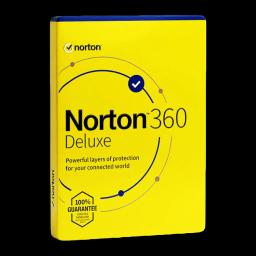






































Comparing Norton 360 Standard vs Deluxe in 2026? Here’s a clear, up‑to‑date guide for home users and small offices. If you bought from Licensgo, you received the original key by email with instant digital delivery and assistance. Here you’ll find the real differences (devices, VPN, Password Manager, SafeCam, parental controls, cloud backup), who each edition suits, how to install/activate, and how to switch editions without interruptions.
1Norton 360 Standard vs Deluxe — what actually changes
Core protection (antivirus/antimalware, firewall, anti‑phishing) is strong in both. The concrete differences concern how many devices you can protect and a few extras that matter day to day.
Typical differences for 2026: Standard protects 1 device (PC/Mac/smartphone), Deluxe up to 5 devices; both include Secure VPN and Password Manager; SafeCam for PC is in both (Windows only); parental controls are included with Deluxe; Cloud Backup (Windows only) is typically 10 GB with Standard and 50 GB with Deluxe. Features and storage can vary by offer/region: always check the product page before buying.
- devices: Standard 1 device; Deluxe up to 5 devices;
- vpn: included in both, usable on devices covered by your plan;
- password manager: included in both; autofill and sync available;
- safecam: included, Windows only;
- parental controls: included with Deluxe; not in Standard;
- cloud backup: Windows only; typically 10 GB Standard, 50 GB Deluxe.
Choose Standard for a single PC or Mac. Choose Deluxe if you have 3–5 devices or need parental controls and more cloud storage.
2Which edition should you choose?
Single user (1 laptop or desktop, maybe a phone): Norton 360 Standard usually suffices. You get full protection, Secure VPN, Password Manager, SafeCam on Windows and essential Cloud Backup.
Couple or household (2–3 devices) and families (3–5 devices): Norton 360 Deluxe is the practical choice. One subscription covers PCs, Macs and smartphones, adds parental controls and expands Cloud Backup. If that’s you, consider Norton 360 Deluxe.
One device and no need for parental controls? Save with Norton 360 Standard. However, if you expect to add devices soon, starting with Deluxe avoids juggling multiple subscriptions.
Want to compare Norton with other suites first? See our hands‑on comparison: Top 5 antivirus 2026: practical comparison and user profiles.
Licensgo delivers original licences by email within minutes and provides assistance for installation and activation.
3Step 1 — installation and activation
1) After purchase, keep the Licensgo email with your key. 2) Create or sign in to your Norton account. 3) Redeem the key in ‘Enter a new product key’. 4) Download the app for Windows, macOS, Android or iOS. 5) Install and sign in with the same account. Repeat on each device up to your plan’s limit.
On Windows, enable Cloud Backup and SafeCam during setup if you need them. On macOS/iOS some features are limited or unavailable due to system policies. You can toggle Secure VPN from the Norton app on all platforms.
If webcam privacy matters alongside SafeCam, see our hands‑on guide: How to protect webcam and microphone on Windows PCs.
- use the same Norton account on all your devices;
- keep the Licensgo email/receipt for your records;
- check the dashboard to verify device count and expiry.
Install the first device, sign in, then use ‘Install on another device’ to send the link by email or scan a QR on phones and tablets.
4Move from Standard to Deluxe without interruptions
You can switch editions at any time. Buy a Deluxe licence from Licensgo, redeem the key in your Norton account and your subscription level changes to Deluxe. Devices stay covered; you’ll gain more slots and added features.
The remaining time on your old plan is handled according to Norton’s current policy; in most cases you keep protection until the new expiry shown in your account. If a device doesn’t pick up the change, sign out and back in or use ‘Refresh subscription status’.
The upgrade adds features but won’t enable those unsupported on macOS/iOS. For example, SafeCam and Cloud Backup remain Windows‑only.
5Costs, value and what changes at renewal
Value by profile: Standard maximises value for a single device. Deluxe scales better for couples and families with 3–5 devices, adds parental controls and more Cloud Backup—often more cost‑effective than buying multiple single‑device plans.
Renewal: first‑year promotions and renewal pricing may differ. Check the amount and date of the next charge in your Norton account before expiry. You can keep, upgrade or change plan based on the devices you actually use.
Good habits go beyond antivirus. For safer browsing, pair the VPN with anti‑tracking hygiene: see Browser privacy: stop tracking and fingerprinting.
If your household grows, moving from Standard to Deluxe near renewal often costs less than keeping two separate Standard plans.
6Limits to know and practical tips
Cloud Backup and SafeCam are Windows‑only. Parental controls work on Windows, Android and iOS with differences; limited macOS support. Some streaming/online banking sites may block the VPN—pause it if needed.
Each installation counts as a device. Uninstall from old hardware before selling or gifting it. For webcam privacy beyond SafeCam, see How to protect webcam and microphone on Windows PCs. For payment hygiene, this guide helps: Secure online payments: virtual cards and practical protections.
- keep the VPN off for sites that reject it;
- enable Password Manager on all browsers you use;
- schedule Cloud Backup when the PC is idle to avoid slowdowns.
If you’re reassessing your suite, our Top 5 antivirus 2026: practical comparison and user profiles highlights strengths by user profile.