


























Category3D rendering
Operating system Windows
 macOS
macOS
WindowsmacOSEditionPremium
LicensingFloating
Duration12 months
ProcessingCPU and GPU, depending on integration
CompatibilityDepends on the host application

Chaos V-Ray Premium
Edition
Licensing
Licence duration
Delivery
What's included V-Ray
V-Ray Cosmos
 Veras
Veras Cloud Collaboration
V-RayCosmosVerasCloud CollaborationCategory3D rendering
Operating systemWindowsmacOS
WindowsmacOSEditionPremium
LicensingFloating
Duration12 months
ProcessingCPU and GPU, depending on integration
CompatibilityDepends on the host application
Build your image through lighting and materials
V-Ray Premium supports those turning 3D models into convincing images: architects presenting interiors, designers studying finishes, and 3D artists preparing animated sequences. The Chaos renderer connects geometry, materials, lighting and cameras, with tools to develop scenes and refine results in your compatible application.

Effective visualisation comes from clear choices: metal should reflect its surroundings, fabric should retain its texture, and a window should contribute to a room's light. V-Ray controls these elements throughout rendering. Premium adds floating licence management and the content and services in Chaos's offer, supporting both individual production and studio work.
Rendering control, from scene to delivery
Photorealistic rendering
Calculate lighting, shadows, reflections and transparency to create images of architecture, objects and 3D environments.
CPU and GPU engines
Choose the engine suited to your scene and hardware, checking supported features in your integration.
Materials and surfaces
Define metal, glass, fabric and other materials with properties and textures that control their appearance.
Developing the lighting
Work with natural and artificial lighting and tools such as Light Mix, where available in the integration.
V-Ray Frame Buffer
Inspect results and use the renderer's integrated image adjustment and post-production tools.
Chaos Cosmos
Complete the scene with Chaos library assets accessible through Premium.
Visual collaboration
Share images for review with Chaos Cloud Collaboration and the services included in your plan.
Floating licence
Organise team access within the available simultaneous licences, with a 12-month subscription.
A renderer within your workflow

Work in the application where your project begins
Your starting point is the scene built in your design or 3D production software. V-Ray offers dedicated integrations: SketchUp, Rhino, 3ds Max and Blender, for example, have specific workflows, panels and tools. Develop the model's appearance in a compatible environment, maintaining a direct relationship between geometry changes and their visual result.
For an architectural practice, this means moving from defining spaces to choosing materials and viewpoints; for product design, studying surfaces through reflections and close-up details. Check the host program, plugin and operating system versions first: integrations do not all expose the same features or receive new features simultaneously.
The host program licence is purchased separately. If a project moves between applications, check which geometry, materials and scene data transfer in the chosen workflow, identifying elements needing adjustment before production.

Choose an engine and prepare a manageable scene
V-Ray CPU uses the processor, while V-Ray GPU uses the graphics hardware and backends supported by the specific version; some configurations combine CPU and GPU. Choose according to the project, as material, effect and feature support varies between engines and integrations. Comparing graphics card names alone is insufficient.
Consider memory needed for geometry, textures and output. A product view with a few objects and a complete architectural complex have different requirements. Before preparing many views, test a representative scene on the intended workstation and check that the chosen engine handles every required element.
Interactive rendering, where available, shows changes during development. Refine quality settings for delivery. Denoising tools reduce rendering noise, but still inspect small details, fabrics and reflections: the final image must preserve the characteristics you want to show.

Organise team access with a floating licence
This configuration offers V-Ray Premium for 12 months with a floating licence. Team members access a seat when available; the number of authorised people is not the number of simultaneous users. Count how many workstations need V-Ray at the same time, even across different projects.
Chaos provides floating licence management and assignment through organisations and user accounts. The administrator must configure access for the adopted system. Define who manages assignments and how tasks are divided between scene preparation and rendering.
The annual subscription covers 12 months of work. Before migrating a project to a new release, check that plugins, host applications and studio files remain aligned: continuity depends on the entire configuration, not only licence availability.

Complete production with your plan's content
The current Premium offer includes V-Ray, the specified access to Chaos Cosmos assets, Veras AI and Chaos Cloud Collaboration. Cosmos provides scene models and materials: furniture, vegetation and other assets complete the context while you focus modelling on project-specific details. Available selections depend on the plan.
Veras adds AI-based visual exploration tools. It can support the search for an aesthetic direction, while scene rendering remains the reference for controlling project geometry, materials and framing. Online service access, resources and credits follow the active account offer's terms.
Use the current Premium plan list when assessing inclusions. Chaos also offers other plans and applications: a tool's presence in its ecosystem does not mean it is included in this licence. Image collaboration and remote rendering are separate services.
Define materials through light
A material is recognised by how it reacts to light as well as its colour. In V-Ray, develop matte or reflective surfaces, metals, glass and fabrics by combining material properties and textures. Roughness, reflection and surface detail distinguish brushed sheet metal from chrome, or polished stone from a porous finish.
To assess a choice, first establish clear lighting and inspect the material both close up and in the complete scene. Texture scale must match the object: oversized grain, joints and fabric patterns change perceived dimensions. Detail effective in a close-up may be unnecessary far from the camera.
V-Ray integrations provide tools for natural light, artificial light and image-based environments, with specific availability. Organise interior lighting around openings, add planned fixtures and control the hierarchy between light and dark areas. Where supported, Light Mix adjusts light contributions in the Frame Buffer after the scene is correctly prepared.
This control helps compare ambient lighting with accents or make an object readable without losing context. Change one variable at a time: with the camera and material stable, it is easier to identify which light changes a reflection or flattens a volume.

From framing to reviewing the result
The camera determines what the rendering communicates. A wide view explains a room's layout; a close-up clarifies finishes and construction details. Camera tools and optical effects available in the integration develop exposure, depth of field and image appearance using a photographic approach.
In the V-Ray Frame Buffer, inspect the result and use integrated adjustment and post-production tools. Keep contrast, colour balance and highlight treatment consistent across image sets. Where the workflow supports them, render elements separate contributions for subsequent compositing.
Prepare delivery for its purpose: on-screen presentation, printed drawing or animated sequence require different checks. Inspect detail at the intended size and review the whole set, not only the strongest view. In animations, also check lighting and material continuity between frames.
Chaos Cloud Collaboration shares renderings and collects contextual comments and annotations. Clearly identified image versions help the team discuss the same result, distinguish design requests from visual corrections and prepare the next revision with more precise guidance.
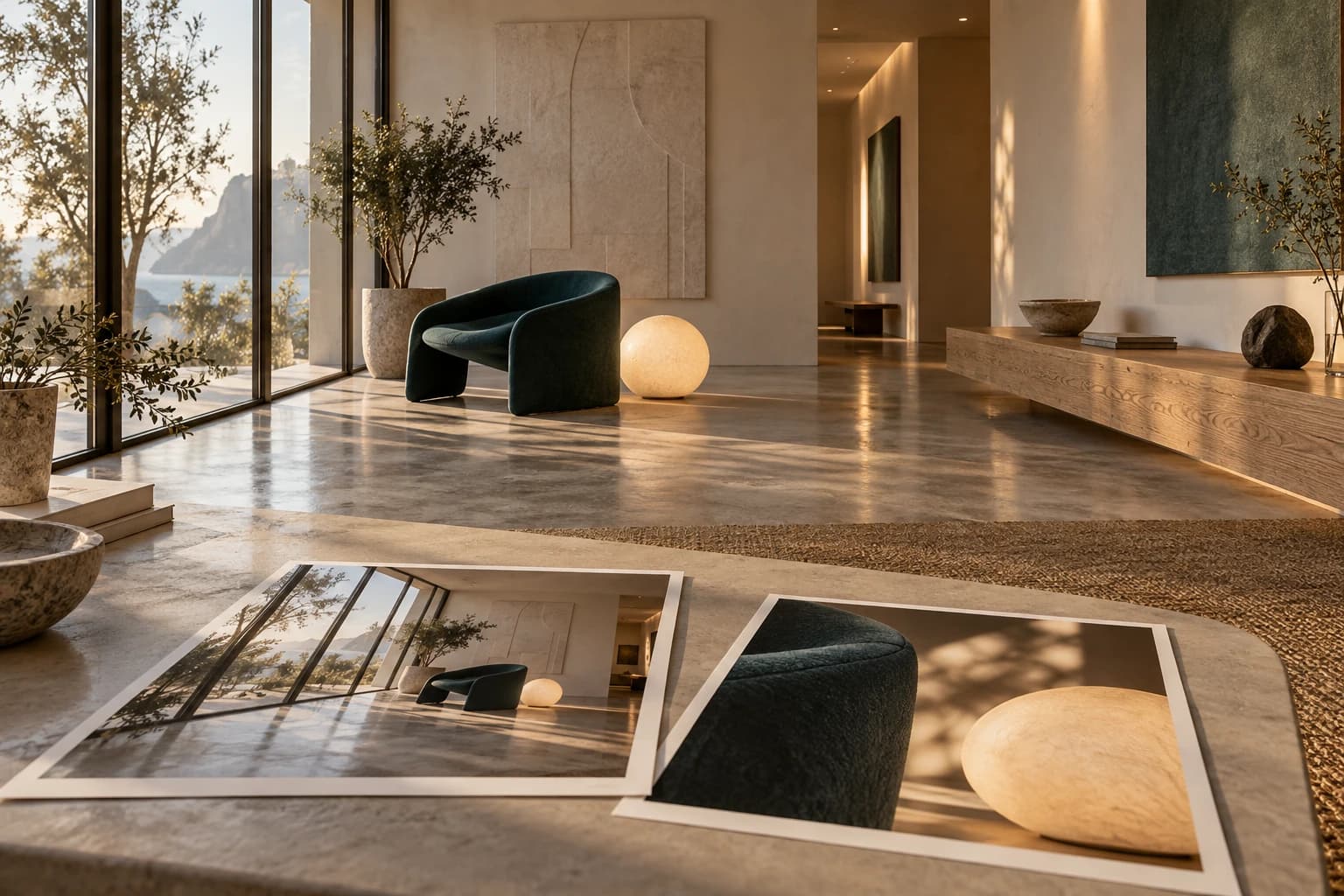
Product specifications
ProductChaos V-Ray Premium
UseArchitectural, interior and product visualisation, animation and VFX
Duration12-month subscription
LicensingFloating: shared use within the number of simultaneous seats purchased
EnginesV-Ray CPU and V-Ray GPU; availability and features vary by integration
IntegrationsMajor integrations include 3ds Max, SketchUp, Rhino, Revit, Cinema 4D, Maya, Houdini and Blender; check release and platform compatibility
Lighting and materialsGlobal illumination, physical materials, cameras and scene appearance control
FinishingV-Ray Frame Buffer, denoising and post-production tools depending on integration
LibraryChaos Cosmos with the content level included in the Premium plan
Plan servicesVeras AI and Chaos Cloud Collaboration subject to Chaos limits and conditions
Host softwareLicences for 3ds Max, SketchUp, Rhino or other host programs are separate
VersionsInstallers and updates are available in your Chaos account according to your subscription and host compatibility
Technical requirements
Before installationCheck V-Ray's compatibility matrix for the application and release you use
Operating systemWindows, macOS or Linux only where supported by the specific integration; not every integration exists on every platform
CPUFor documented Windows integrations: 64-bit Intel/AMD processor with AVX2; Mac and Linux requirements depend on the integration
RAMAt least 8 GB in several integrations; 16–64 GB or more recommended according to host and scene complexity
Disk spaceDepends on the integration; for Rhino: 2 GB minimum, 12 GB recommended including additional content; allow space for projects and caches
Rendering GPUGPU, drivers and rendering engine supported by the installed V-Ray GPU version; check the official list before choosing hardware
NVIDIA GPUCUDA on Maxwell or later with compute capability of at least 5.2; RTX mode requires a compatible RTX GPU
AMD and Apple GPUsSupport depends on the release and backend; consult current V-Ray GPU and integration requirements
Video memoryChoose memory to suit geometry, textures and resolution; complex scenes require more VRAM
Licence and networkChaos account, connection for activation and services, and licence configuration compatible with floating use
Host applicationSeparate installation and licence; its own requirements must also be met
Frequently asked questions
How much does it cost?
£379.99 including VAT for 12 months of V-Ray Premium with a floating licence (1 simultaneous seat). Invoice included.
What is V-Ray Premium used for?
It is a Chaos 3D rendering plan for developing materials, lighting and final images in compatible work environments. Premium adds a floating licence and plan content and services to V-Ray rendering technology.
What does a floating licence mean?
It lets the team share access when a licence is available. It does not mean unlimited simultaneous users: concurrent usage depends on the seats purchased and Chaos's terms.
What is the duration?
The configuration shown is a 12-month subscription. Versions, updates and services follow the active plan's terms; it is not a perpetual licence.
Are SketchUp, Rhino or 3ds Max included?
No. V-Ray integration installs into a compatible program, but the host program's licence is separate. Check both the host version and V-Ray plugin version before choosing.
Which services are included in the current Premium plan?
Chaos's official page lists V-Ray, Chaos Cosmos content, Veras AI and Cloud Collaboration, with the library tier and credits of the Premium plan. Quantities, enabled features and online service terms can change; the assigned plan's terms apply.
Are Vantage and cloud rendering automatically included?
Chaos distinguishes Premium from Collection, which includes additional tools such as Vantage and cloud rendering services. Online collaboration shares and reviews images; it does not imply unlimited cloud rendering or inclusion of all Chaos products.
Does V-Ray work on Windows and Mac?
It depends on the integration. Some applications and plugins are Windows-only; others support macOS or Linux. Checking the V-Ray name is not enough: compare the operating system, host program version and plugin release.
Do I need a dedicated GPU for rendering?
V-Ray also supports CPU rendering. The GPU engine requires compatible hardware and drivers and sufficient video memory. Material and effect support can differ between engines: check your integration's feature table before moving a project.
What is Chaos Cosmos?
It is Chaos's library of ready-to-use visualisation assets, such as models and materials, for furnishing and adding character to scenes. Accessible content depends on your plan tier and product compatibility.
How do I choose the correct version and integration?
Start with your application and release, then check Chaos's documentation for the corresponding plugin. For a team, also check operating systems, CPU/GPU engines, shared libraries and required simultaneous access.
Recommended products