

































Black Friday brings more deliveries — and scammers know it. Fake courier texts asking for small payments or ‘release from hold’ are on the rise. If you’ve bought software from Licensgo, your licence arrives instantly by email, but you might be awaiting parcels from other shops. Here’s how to spot scams, verify safely, and what to do if you clicked.
1Why now — pre‑Black Friday alert
Scammers exploit urgency: ‘delivery failed’, ‘pay €1.99 to reschedule’, ‘confirm address’. They rely on you expecting a parcel. The SMS leads to a cloned page that steals card data or credentials.
2How to recognise fake courier SMS
Typical examples: “Your parcel is on hold: pay €1.79 to release it: http://abc.xyz/track”, “Delivery failed. Rebook: short.link/123”, “A duty is required. Pay within 24h”. The landing page copies logos and colours, but the domain is wrong (misspellings, extra words, unusual TLDs), sometimes uses HTTP, and asks for full card details, IBAN, or even your email credentials.
- short links or odd domains that don’t match the courier;
- requests for small ‘release/handling’ fees via card or IBAN;
- requests for passwords or 2FA codes unrelated to delivery;
- pressure tactics: countdowns, threats of ‘return to sender’ or penalties.
First, read the domain carefully. If in doubt, don’t tap the link: open the courier’s official app/website manually.
3Safe checks: tracking and official apps
Never verify via the SMS link. Instead: type the courier’s official website into your browser, use the official app, or check the shop’s order/shipping email. Compare it with the tracking code you already have. If you don’t have any legitimate order email, treat the SMS as a scam.
- type the official domain manually or use a trusted bookmark;
- check the shop’s order history and the shipping email;
- call the courier only using the number on its official website.
Stop, breathe, and verify via official channels. Urgency is the scammer’s weapon.
4Clicked or paid? What to do now
Act immediately to limit damage. If you entered card details, call your bank to block/replace. If you typed passwords, change them at once and enable 2FA. Run a full anti‑malware scan and monitor activity. Report it to the police and keep evidence (SMS, URLs, screenshots).
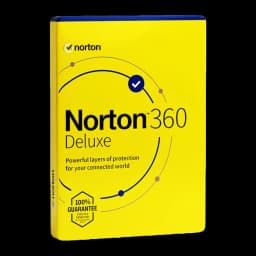
For extra protection, run a scan and enable anti‑phishing in your security suite. On Licensgo you’ll find Norton 360 Deluxe, ESET NOD32 Antivirus and McAfee Total Protection. For the best choice, see the guide Top 5 antivirus 2026: practical comparison and user profiles.
- disconnect the device or switch on Flight mode if you suspect malware;
- call your bank to block the card and monitor charges;
- change passwords for email and online shops, enable 2FA;
- run a full antivirus scan and remove saved payment methods from the browser;
- report it to the police and keep all evidence.
If you entered card details, don’t wait for charges: block the card and request a new one.
5Prevention checklist for families and SMEs
Small settings make a big difference: filter SMS spam, silence unknown senders, train family and staff, and pay using safer methods. For payment hygiene and virtual cards, see Secure online payments: virtual cards and practical protections. To reduce tracking risks while browsing, see Browser privacy: prevent tracking and fingerprinting.
- enable SMS anti‑spam filters and silence unknown senders;
- use virtual or prepaid cards with limits for online payments;
- enable 2FA and unique passwords with a password manager;
- keep OS and browser up to date; enable safe‑browsing protections;
- for SMEs: set a simple policy — never pay via links in messages.