




























Category3D modelling
Operating system Windows
 macOS
macOS
WindowsmacOSManufacturerMcNeel
VersionRhino 8
PlatformsWindows and macOS
LicensingPerpetual licence for version 8
IncludedGrasshopper
 McNeel
Rhino 8
Program version
Operating systemRhino 8 is available for Windows and macOS; also check the requirements of any plug-ins you use.
Licence duration
Delivery
Category3D modelling
Operating systemWindowsmacOS
WindowsmacOSManufacturerMcNeel
VersionRhino 8
PlatformsWindows and macOS
LicensingPerpetual licence for version 8
IncludedGrasshopper
Freedom of form, precision in the model
Rhino 8 is a modelling environment for developing shapes that need expressive freedom and geometric control. Build curves and surfaces, work with solids, meshes and SubD, and prepare models for presentation, documentation and exchange. It is used across product design, jewellery, marine design and architecture, with a common need to turn a shape into measurable, editable geometry.
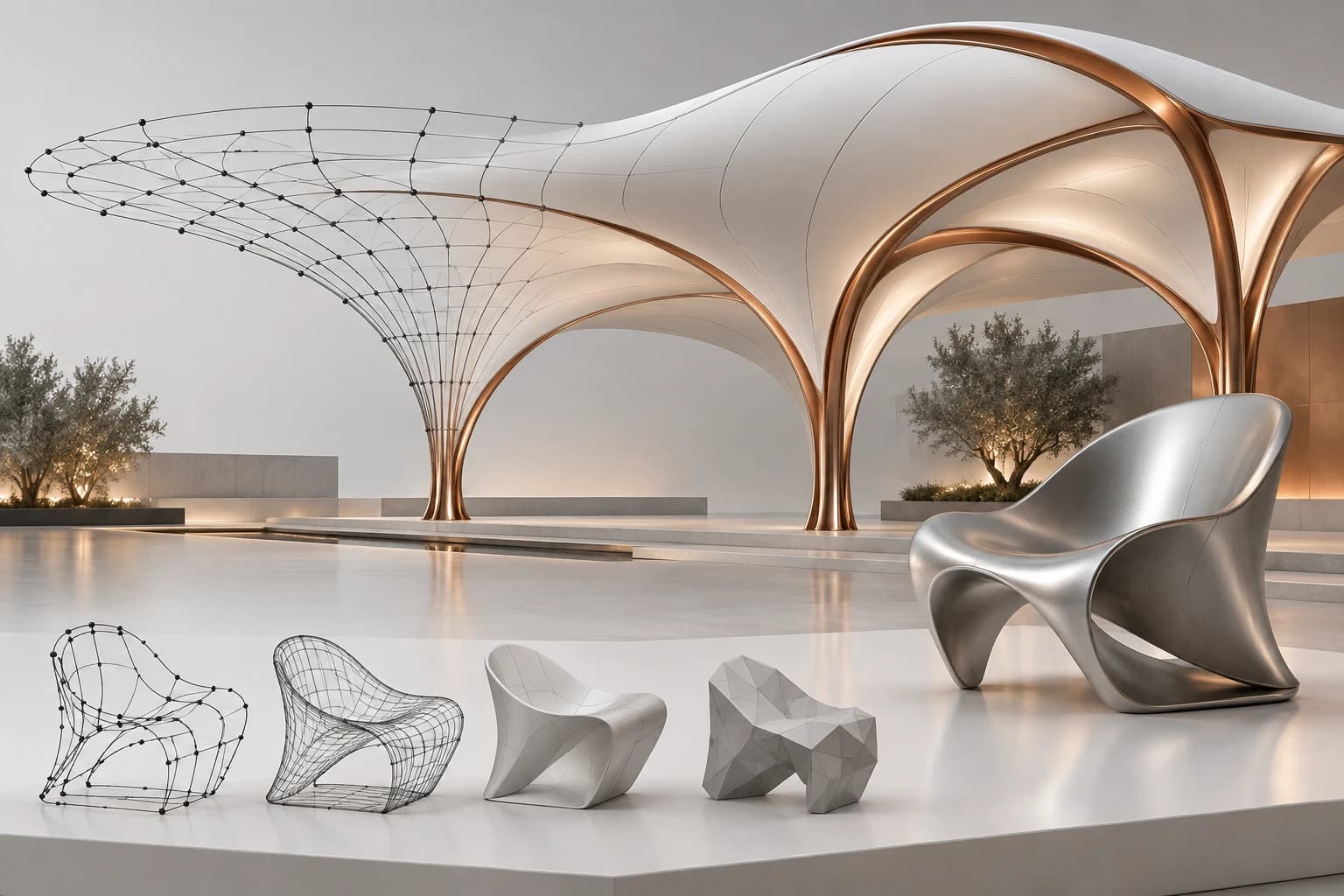
The right tools depend on the project. NURBS define surfaces from curves and sections; SubD supports exploration of organic volumes; meshes are useful in many exchange and manufacturing workflows. Grasshopper, which is included, adds a visual way to build parametric relationships. These approaches can coexist, provided units, tolerances and geometry quality remain consistent with the final objective.
From free-form geometry to a controlled design
NURBS curves and surfaces
Build surfaces from profiles, sections and guide curves. Control shape and dimensions with a representation suited to regular geometry and more complex freeform surfaces.
SubD for organic shapes
Edit a control network to explore smooth, continuous volumes. Rhino 8 SubD creases offer further variation between tighter and more rounded areas.
Grasshopper included
Connect operations and parameters in a visual editor to generate geometry. The same logic can produce alternatives to compare, such as element sequences or distributions across a surface.
More direct modelling
PushPull, Gumball and automatic construction planes offer quick ways to adjust shapes. Combine direct tools and precise construction according to the project stage.
ShrinkWrap and meshes
Create a closed mesh around existing geometry, including mixed geometry types. Use the result for further checking, processing and preparation for 3D printing.
Sections and documentation
Read the design through sections, views, annotations and layouts. Rhino 8 section tools also extract useful geometry to describe elements for manufacture.
Analysis and presentation
Check geometry and prepare images with materials and lighting. Presentation helps assess appearance; geometric checks support model construction.
Exchange between applications
Use native 3DM and supported import/export formats. Choose the content to transfer according to the destination program and process.
Choosing the right geometry for each stage

NURBS, SubD and meshes: complementary tools
A NURBS surface can be built from a curve network, through sections or along a path. This is useful for controlling profiles, fillets and transitions between surfaces. For an object's shell, for example, define the main sections first and then assess how to connect them while keeping recognisable dimensional references.
SubD offers a different approach: edit a control structure to obtain a continuous shape, suited to seats, handles or organic enclosures. A mesh instead describes a surface using polygon faces. Choosing a representation means considering the changes required and the intended result. A shape suited to visualisation may need different preparation for manufacture or exchange with another CAD system.

Grasshopper for relationships and alternatives
Grasshopper describes the design as a sequence of connected operations. Set a guide curve, distribute points along it and build elements with variable orientations or dimensions. Changing a parameter recalculates the geometry according to the relationships you defined.
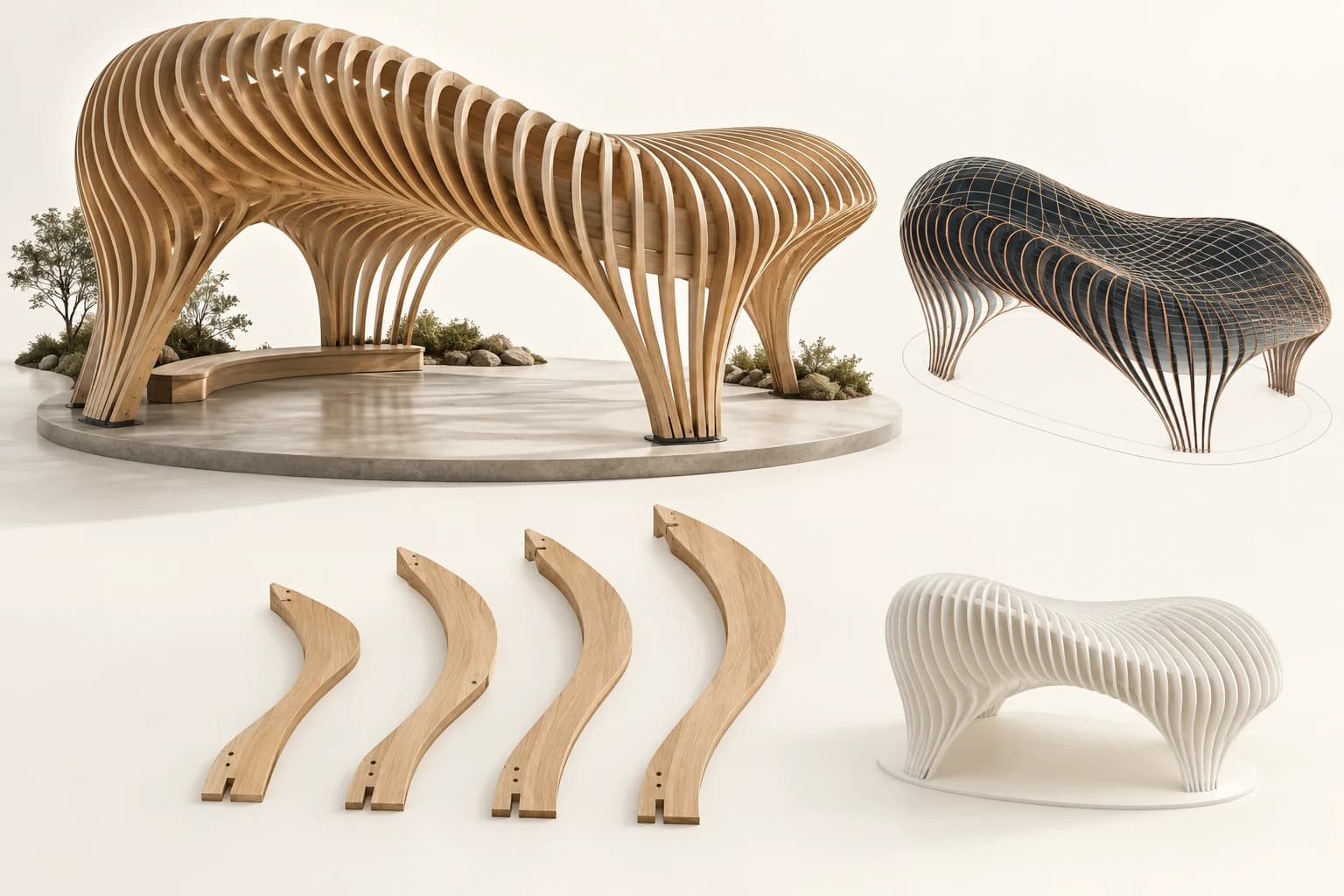
A roof with repeated ribs is one example: rather than modelling every element independently, define the principle governing their position and shape. Keep inputs, groups and dependencies organised, and check results at extreme values. Rhino 8 also expands Grasshopper's data handling with tools for attributes, annotations and blocks. Additional extensions retain their own requirements and terms.

From the native file to team exchange
The 3DM format preserves the project in Rhino; import and export connect it to CAD applications, visualisation tools and other processes. Before choosing a format, clarify whether the recipient needs surfaces, solids, 2D curves or meshes. Format compatibility does not mean every type of information transfers in the same way.
For effective delivery, check scale, units, orientation and the objects actually included. Test a representative component before exchanging a large project. Keep a copy of the native model, identify the delivered version and, where possible, check it in the destination program. Rhino 8 also adds visualisation workflow options such as glTF and USD, to be assessed according to the content required.

Perpetual Rhino 8 on Windows and macOS
The perpetual licence covers the purchased version: Rhino 8 remains usable without periodic licence expiry. Its service releases are distinct from future major upgrades, which are not promised as included. The offer must also clarify whether it is a new licence or an upgrade from a version already owned.
Rhino is available for Windows and macOS with specific requirements. On Mac, Rhino 8 uses Metal and supports the manufacturer's specified Intel and Apple Silicon configurations. Check plugin availability separately for each platform: an essential extension may determine your choice of computer. Local licensing or the available McNeel management tools should also fit the way you organise work.
From a profile to a seat surface
To study a seat, start with side profiles and sections describing the backrest and seat surface. These references help assess proportions, clearances and shape continuity. Build the surface, inspect it from several directions and revisit the curves where transitions need refinement.
If the initial aim is to explore a soft shape quickly, SubD can provide a more immediate control network. Keep the structure readable, adjust proportions progressively and check the silhouette before adding detail. Surface transitions and curvature changes affect reflections; analysis tools and display modes help reveal them.
Once the shape is stable, focus on materials, lighting and viewpoints. An image can convey the object's character and support discussion with the client. Detailed development still requires separate checks of thicknesses, joints and compatibility with the intended materials and manufacturing processes.
- Define references: establish scale and overall dimensions before working on surface details.
- Check the shape: compare profiles, continuity and reflection quality from several viewpoints.
- Prepare delivery: distinguish the presentation model from the data needed to manufacture the object.

From a parametric roof to elements ready for fabrication
A roof made from repeated elements requires coordination between the overall form and individual pieces. In a possible Rhino and Grasshopper workflow, a guide surface defines the envelope and successive sections describe the ribs. Changing the surface or section distribution lets you compare alternatives and observe changes in rhythm and proportion.
Once a solution is chosen, extracting sections and curves helps describe its elements. Rhino 8 section features derive different geometry from the model. The designer must then compare it against thicknesses, materials, connections and manufacturing constraints. Organised layers and object names make pieces easier to identify and files easier to share.
For a physical study model, the workflow may include a printable mesh. ShrinkWrap creates a closed envelope around even open or overlapping geometry, with settings affecting detail. Closing the mesh is useful, but scale, thickness and the chosen printing process still need checking.
- Explore alternatives: change a few recognisable parameters and compare their effects on the geometry.
- Organise elements: separate ribs, envelope and references for a clear delivery.
- Check the prototype: verify the manufacturing file's detail and dimensions before sending it.
Product specifications
ProductRhinoceros 8
GeometryNURBS curves, surfaces and solids; SubD and meshes
Algorithmic designGrasshopper included
What's new in version 8ShrinkWrap, SubD Creases, and improvements to modelling, sections and display
DocumentationDimensions, annotations, layouts and drawings derived from the model
AnalysisMeasurements, geometry checks, surface curvature and continuity
Native format3DM
ExchangeNumerous CAD and mesh formats; check the options for each format
LicensingPermanent: the purchased version does not expire
UpdatesService releases for the current version; new major releases are not automatically included
ManagementCloud Zoo, single computer or LAN Zoo, depending on configuration
ExtensionsThird-party plugins have separate compatibility and licensing requirements
Technical requirements
ReferenceRhino 8; separate Windows and macOS requirements
WindowsWindows 10 or Windows 11
Windows processor64-bit Intel or AMD; ARM processors are not supported
Recommended RAMAt least 8 GB on Windows and Mac
Disk5 GB on Windows; 10 GB on Mac, plus space for projects
Recommended Windows GPUOpenGL 4.5 compatibility and at least 4 GB of video memory
Mac hardwareMac with Intel or Apple Silicon processor
macOSMonterey 12.4 or later among the versions listed in McNeel's requirements table; check the installed service release
Input devicesMulti-button mouse with scroll wheel recommended
InternetFor downloads, licence validation and Rhino account services
Unsupported environmentsLinux; virtualisation such as VMware, Remote Desktop and Parallels for Rhino for Windows
Plug-inCheck support for Rhino 8, your operating system and computer architecture
Frequently asked questions
How much does it cost?
£799.99 including VAT for a new, perpetual Rhino 8 licence for Windows or Mac, with an invoice included.
Does the Rhino 8 licence expire?
The perpetual licence has no time limit for using the purchased version 8. New major versions are separate upgrades: perpetual does not mean free access to all future releases.
Which updates are included?
McNeel includes service releases for the current version. Moving to a future major version may require purchasing an upgrade, which can also become necessary for compatibility with new operating systems.
Is Rhino 8 available for Windows and Mac?
Yes. Rhino 8 is available on both platforms. Features and especially plugins may differ: check the components your work requires before choosing a computer.
Is Grasshopper included?
Yes. Grasshopper is Rhino's integrated visual algorithm editor. Define relationships and operation sequences to generate and modify geometry; third-party components may require separate licences.
What is the difference between NURBS and SubD?
NURBS surfaces build and control geometry through curves and parameters; SubD makes organic shapes easier to create through a control network. Rhino lets you choose and combine approaches according to the model's requirements.
What is ShrinkWrap used for?
It creates a closed mesh around existing geometry, including meshes, surfaces and point clouds. It is useful for preparing a volume for further processing or 3D printing; required quality and manufacturing constraints still need to be checked.
Are V-Ray, RhinoCAM or VisualARQ included?
No. They are separate products or plugins: compatibility with Rhino does not include their licences. This page covers Rhino 8 and its integrated features.
Can I manage the licence through an account?
Rhino offers Cloud Zoo for access management through Rhino Account, alongside single-computer licensing and the LAN Zoo manager. Choose according to individual or team use and the licence terms.
Does Rhino automatically replace BIM or CAM software?
Rhino is a versatile 3D modeller. A geometric model does not automatically become a complete BIM project or toolpath: specialist workflows may require data organisation, additional tools and dedicated checks.
Is this a new licence or an upgrade?
It is a new, complete, perpetual Rhino 8 licence, not an upgrade from an earlier version. It is delivered by email with the licence code, instructions and an invoice.
Recommended products