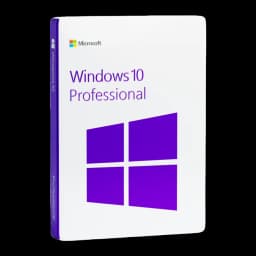






































This guide explains the legitimate ways to activate Windows 10 Professional: how to use a product key or digital licence, how to activate from Command Prompt (slmgr) and how to troubleshoot the most common activation errors. If you bought your key from Licensgo, the instructions below apply to the product key you received by email.
1Why activation matters
Activation confirms that your copy of Windows 10 Professional is genuine and properly licensed. Without activation, you can still use Windows, but some personalisation features are disabled and periodic reminders appear.
A digital licence linked to your Microsoft account is activated automatically when you sign in after a reinstall.
2Official activation methods
There are two standard routes: enter a product key (retail or OEM) or rely on a digital licence tied to your Microsoft account or hardware. Organisations may use Volume Licensing (KMS/MAK) managed by their IT department — do not try to use enterprise keys on personal PCs.
- Product key: enter the code received by email;
- Digital licence: sign in with your Microsoft account;
- Volume licensing: check with your IT administrator.
Settings > Update & Security > Activation > Change product key is the standard UI path.
3Step 1 — Activate from Command Prompt (slmgr)
If activation through Settings fails, you can use the built‑in slmgr tool. Open an elevated Command Prompt (right-click and select ‘Run as administrator’) and run the commands below, replacing <YOUR-KEY> with your product key.
Commands:
- slmgr /ipk <YOUR-KEY> — installs the product key;
- slmgr /ato — attempts online activation;
- slmgr /dlv — displays licence and activation status.
Always run Command Prompt as administrator; otherwise, slmgr commands will fail.
4Troubleshooting common activation errors (including 0xc004f074)
Common causes: the wrong key type (e.g. trying a KMS key on a retail system), no internet connection, an incorrect date or time, or temporary problems with Microsoft's activation servers. Below are targeted checks and steps to resolve them.
- Check your internet access and restart the router or connection;
- Check the system date and time and synchronise the clock;
- Run the Activation Troubleshooter from Settings > Update & Security > Activation;
- For error 0xc004f074, check whether the key is KMS and contact your IT administrator.
If you see 0xc004f074 and you don't belong to an organisation, the key is probably not valid for retail activation.
5Step 2 — Activating in Safe Mode and without third‑party tools
You can perform activation without third‑party software. If you need Safe Mode, choose Safe Mode with Networking to ensure network services are available. Then use Settings or the slmgr commands as above.
- Start in Safe Mode with Networking if necessary;
- Use the Troubleshooter or slmgr commands without installing external tools.
Do not use activation cracks or unauthorised tools — they breach the licence terms and compromise security.
6When to contact support
If you've followed the steps above and Windows 10 Professional still won't activate, contact Licensgo support or Microsoft Support. Have your product key, order email, and any error codes (like 0xc004f074) ready.
Your order number, product key, screenshots of the error and the output of slmgr /dlv will speed up the diagnosis.